VIDEO EDITING / Shotcut
Viewers can tolerate a simple picture more easily than speech they cannot follow. A waveform helps locate edits, but a convincing spoken track still needs listening, pauses and careful transitions.
Listen before making the first cut
Play the recording once and note repeated sentences, long setup pauses and interruptions. Do not remove every quiet section automatically. A pause may separate two ideas or give the viewer time to read something on screen. Establish which take contains the clearest explanation before polishing small noises. This prevents detailed work on material that will later be replaced.
Read a waveform cautiously
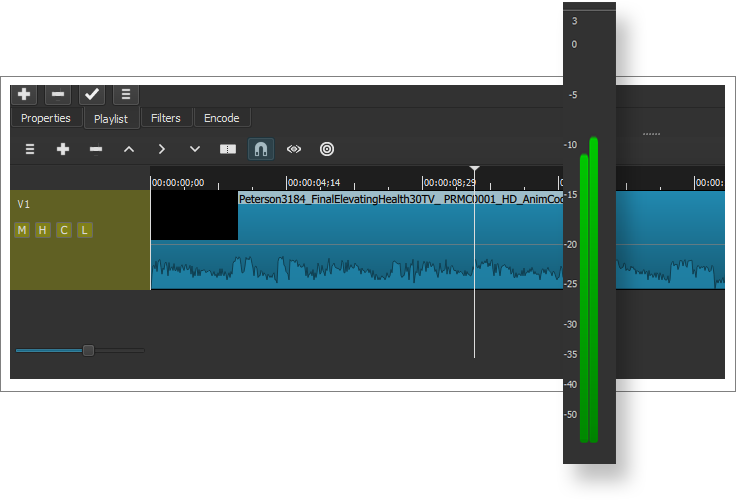
Shotcut includes audio waveforms and audio filters in its documented toolset. Larger waveform regions can guide you towards louder passages, while gaps may indicate pauses. Neither tells you whether a word is correct or a breath sounds natural. Zoom in near a proposed cut and listen across it. Leave enough material around the edit to avoid shaving the start or end off a syllable.
Keep narration in front
Background music should support speech rather than compete with it. Compare a section with and without music at an ordinary listening level. If consonants become difficult to follow, lowering the music is often a more useful first move than raising everything else. A passage with no music can also be appropriate. Avoid judging intelligibility only through a large pair of headphones that your audience may not use.
Inspect the exported result
Timeline playback is only one checkpoint. Export a sample containing a quiet sentence, a louder phrase and a transition. Listen through a phone speaker as well as headphones. Check the start and end, where abrupt audio boundaries are easy to miss. Keep a copy of the original recording so that a later revision does not force you to rebuild a sentence from tiny edited fragments.
A small check to try
- Listen across every speech cut.
- Compare narration with the music muted.
- Test one exported passage on a small speaker.